

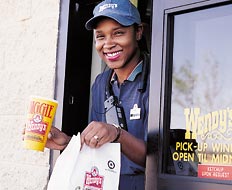
Customer Service
1 From the full order of food and beverages to the utensils, provide the customer with everything he needs the first time. Frustrations arise when something is forgotten.
2 Mistakes happen; it’s inevitable. In the event of an inaccurate order, correct the error by embracing responsiveness, responsibility, and action.
3 Greet with a friendly, enthusiastic, two-part greeting. “Welcome to Burger Palace. May I take your order?”
4 “Please” and “thank you” spark feelings of appreciation and build loyal customers.
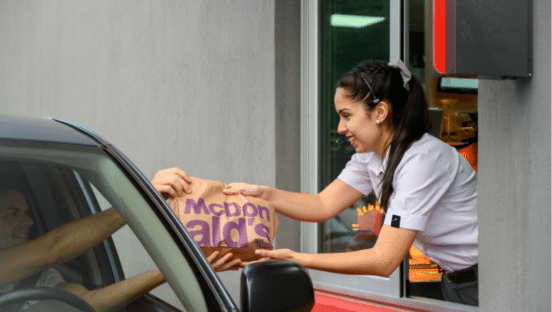
5 Direct drive-thru staff to share sincere smiles and make eye contact with guests.
6 People love their dogs, and distributing canine treats (although not alongside human food) can be a simple effort to distinguish your operation.
7 Who wants to eat a salad by hand or use his dry-cleaning receipt as a napkin? Provide the appropriate amount of napkins, utensils, and condiments.
8 With simple words, such as “Thanks for coming. We’ll see you again soon,” staff plants the seeds of a return visit in a customer’s mind.
9 Customers are clamoring for healthier options in the quick-service sector, so showcase items that incorporate a healthy message.
10 Place the order post as close to the customers as possible to enhance the ease of two-way communication.
11 Offer breakfast. According to Technomic’s 2009 Breakfast Consumer Trend Report, 22 percent of consumers named the availability of drive-thru service as one of the top three reasons they visit their preferred breakfast restaurant.
12 Greet the customer within five seconds of the car stopping at the order post.
13 Drive-thru staff should start the ordering process rather than relying on guests to initiate the order.
14 As much as the drive thru is about speed, allow guests time to review the menu should they need that opportunity. Be patient and say, “Please order when ready.”
16 A simple sign that thanks guests for their business as they pull away completes the process in an appreciative way.
17 When receiving money from guests, say, “Thank you.” Today’s customers have innumerable options, but they’ve selected your establishment. Show appreciation.
18 When using crew to line bust during peak times, distribute a paper menu to allow guests the time and information to complete their order. The same idea can introduce promotions.
19 Toss a hard candy or mint into the customer’s to-go bag.
Management
21 Visit your own drive thru to see the process from a customer’s eyes. Bring a video camera along to record and later review the experience.
22 Visit other drive thrus with a critical eye and attention to detail.
23 Learn and improve by taking the lessons of drive-thru visits to heart. Be objective and strategic in analyzing strengths and weaknesses. The ultimate goal is to be professionally aware, not personally correct.
24 Knowledge is power. With data that represents current efficiency, management can make operational adjustments to improve drive-thru throughput.
25 Employee recognition and incentive programs for both speed and accuracy can motivate staff to provide swift service.
27 Train the talent. With speed and accuracy essential, thorough training enhances drive-thru efficiency. Drive-thru staff must know the ins and outs of both the menu and the drive-thru operation.
28 Make the drive-thru positions coveted spots. With greater responsibility, provide a greater reward, such as a higher wage.
29 Go off site. With a singular focus on sales and accuracy, outsourced order-taking staffers receive thorough training, including upselling and add-on sales strategies.
30 Given the business a drive thru produces, it cannot (and should not) be an afterthought. From design to staffing, give it the best.
31 Appoint a troubleshooting staff member who is capable of stepping in wherever necessary to fix drive-thru issues.
32 Cross-train staff. As much as specialization has a purpose, team members who can understand and fill multiple drive-thru roles increase efficiency.
33 For multistore operations, consolidate speed-of-service data from multiple stores into a single database to quickly identify problems.
[pagebreak]
Look and Feel
35 From litter on the ground to hazy windows, dirty and ill-maintained drive thrus negatively impact consumer confidence.
36 Not only do well-lit areas allow guests to better read menuboards and instill a sense of safety, but brightness has a positive impact on people.
37 Maximize the distance of Dumpsters and exterior bathrooms from the drive-thru lane to limit unpleasant odors.
38 Signage should be easy to read and noncluttered. Resist any urge to post paper notes.
39 Ensure the menuboard reflects current pricing and menu items.
41 Many operations experts suggest keeping only the top 80 percent of items sold on the menuboard, which helps to simplify the signage.
42 Enhance visibility by having lights directly on the menuboard after sundown. A customer who can’t discern the menu is likely to order less or leave.
44 Install a trashcan with an extended chute next to the lane, a simple product customers universally value.
45 Clear and bright lane striping ensures a professional look and clearly defines the drive-thru space for cars and dine-in customers.
46 Installing canopies over the menuboards makes signage easier to read in bright sunlight and keeps customers dry in bad weather.
47 Recognize that visitors to the drive thru gain an up-close look at the establishment, from tuckpointing to landscaping. Breed confidence with beautification projects that clean up your lane and show pride of ownership.
48 Use an antifog solution to fight the collection of fog on signage glass.
Technology
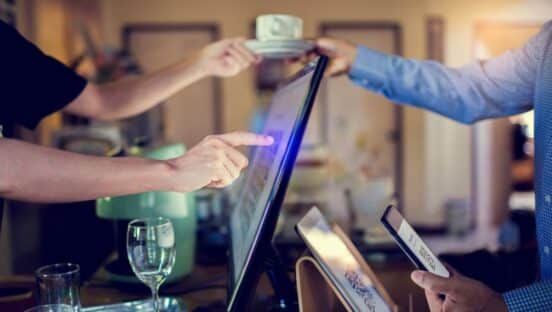
49 Use an order-confirmation screen. Providing the customer a visual rundown of the items ordered and the final total helps certify accuracy. Better yet, an order-confirmation screen is routinely cited as one of the top drive-thru improvements consumers want to see.
50 For those with an order-confirmation screen, enter items into the drive thru’s POS terminal as the customer orders. The real-time reporting allows customers to make corrections quickly.
51 Use a modern, high-quality speaker system.
52 Installing noise-reduction technology at the order post minimizes customer angst while improving speed and order accuracy.
54 Maintain speaker volume. Loud enough is when a customer doesn’t have to strain or reach to hear.
55 Wrap the speaker post in high-density foam to lessen vibrations and the metal stand’s interior noise.
56 Introduce a pre-alert loop to indicate a car has entered the drive thru. This compels staff responsiveness and boosts speed of service.
57 Since the drive thru is about speed and efficiency, institute times so staff gauge their ability to process orders.
58 Make certain every employee knows the service-time goals.
59 Use the drive-thru timer’s real-time display and reporting features to track where the restaurant stands and where it needs to go.
60 Use the timer to pinpoint problems as they occur and take the necessary action to keep cars moving.
61 The world’s increasingly going touch screen, which allows customers to customize meals and you to suggest add-on sales.
63 Headsets and timers can be great tools in accelerating the drive-thru process, but employees must know how to use these items and how they can help them better perform.
64 Integrate paperless payment that is quick and worry-free, such as PayPass or Google Wallet. Frequent studies show customers spend more when purchasing with plastic versus paper.
65 Many customers use their cell phones while in a drive-thru lane. By providing an incentive for customers, restaurants can build market research with a simple text-in deal.
67 Add a timer monitor in the kitchen to allow the entire crew current information on drive-thru traffic.
68 An integrated kitchen-management system can provide advance notice of custom builds and, during peak times, capture order information before the kitchen display shows the order.
69 When speed is the expectation, give the drive thru priority on the POS system.
70 A video-chat ordering system where guests can see the order taker on the screen adds a high-tech and more personal alternative to just audio.
71 Add digital menuboards, which not only indicate the restaurant’s modern ways, but also allow a restaurant to switch menu information in a pinch.
72 Compare car counts between the timer and POS system to detect theft and reduce lost revenue.
73 Utilize the “intelligent upsell” features on the order-confirmation system for upsells to increase both order size and revenue.
75 Grant customers the ability to place an order ahead of time, by phone or online, and pick it up in the drive-thru lane.
[pagebreak]
Operations
77 In the absence of an order-confirmation screen, repeat the order to the customer at the order post to ensure accuracy.
78 Immediately after confirming the order with the customer, provide the full total denoting dollars and cents.
79 Provide the next step. Sometimes a second window is open to collect payment; sometimes it is not. Clearly direct the customer to the next step.
80 When handing the order to the customer, review the order with confidence.
81 Customers respond favorably to outside order takers, a more personal system that serves as a line-busting technique during peak hours.
82 If there is an opportunity to get an order into the kitchen sooner, take it. The move will deliver the speed drive-thru customers crave.
83 Streamline the drive-thru process into three parts: greeting and order; money exchange, receipt, and condiments; and, finally, food delivery.
84 Combo meals are a great way to order in one step and heighten the value perception. Place them side-by-side in a prominent spot on the menuboard.
85 If breakfast is over, switch the drive-thru signage to the lunch and dinner menu. If cheeseburgers are not available before 10 a.m., hide that piece of the menu. Rotating the menu signage ensures a crisp look and allows the customer to focus on the available offerings.
86 Double up on staff and even key equipment, such as the soda fountain and register, to ensure swift service during peak times.
87 On-the-go, multitasking drive-thru consumers want packaging that keeps food safe and contained. Identify packaging that protects the product and the customer’s lap.
89 Participants in a 2010 QSR drive-thru focus group widely agreed that having an employee bring an order to the car was a plus. As much as tech dominates today’s lives, the personal touches continually resonate with customers.
90 Carhops can not only evoke a sense of nostalgia, but they can expedite service, take orders and payment, and hand completed orders to customers.
91 Maximize the order taker’s comfort and limit distractions by placing this team member in a space away from the restaurant’s hustle and bustle.
92 Team members should state the amount of change they are returning to the customer and count back that amount.
93 Install signage that highlights new items as well as promotional offers or special pricing. Signage can also display high-margin items to entice a purchase.
95 Run drive-thru-only drink promotions to increase higher-margin beverage sales.
Design
96 Position a duplicate menuboard before the order post so that guests can peruse the menu as they wait. This reduces a customer feeling rushed into ordering and allows a full review of options. It also improves speed once they arrive at the order post.
97 Push the car to the drive-thru window by narrowing the road.
98 Tight bends and any changes in direction cause drivers to be frustrated and misguided. Make the lane smooth and gradual.
100 Starting with the kitchen, design everything for speed and accuracy.
101 On a new build, position the restaurant to the left to segregate customer parking and retain maximum room on the right side for drive-thru operations.